

It stays on
Your agents run on a cloud computer, not your laptop. Close the lid and the work carries on.
 KeepOak
Sign in
KeepOak
Sign in
Managed AI workspace · always on
A private cloud computer for the life of your plan: a real desktop, your own Files and optional agents. You pick the AI. We keep the machine running.
Free account: sign-in, receipts and a future AI wallet. No card needed. A computer, Files and agents require a paid plan.
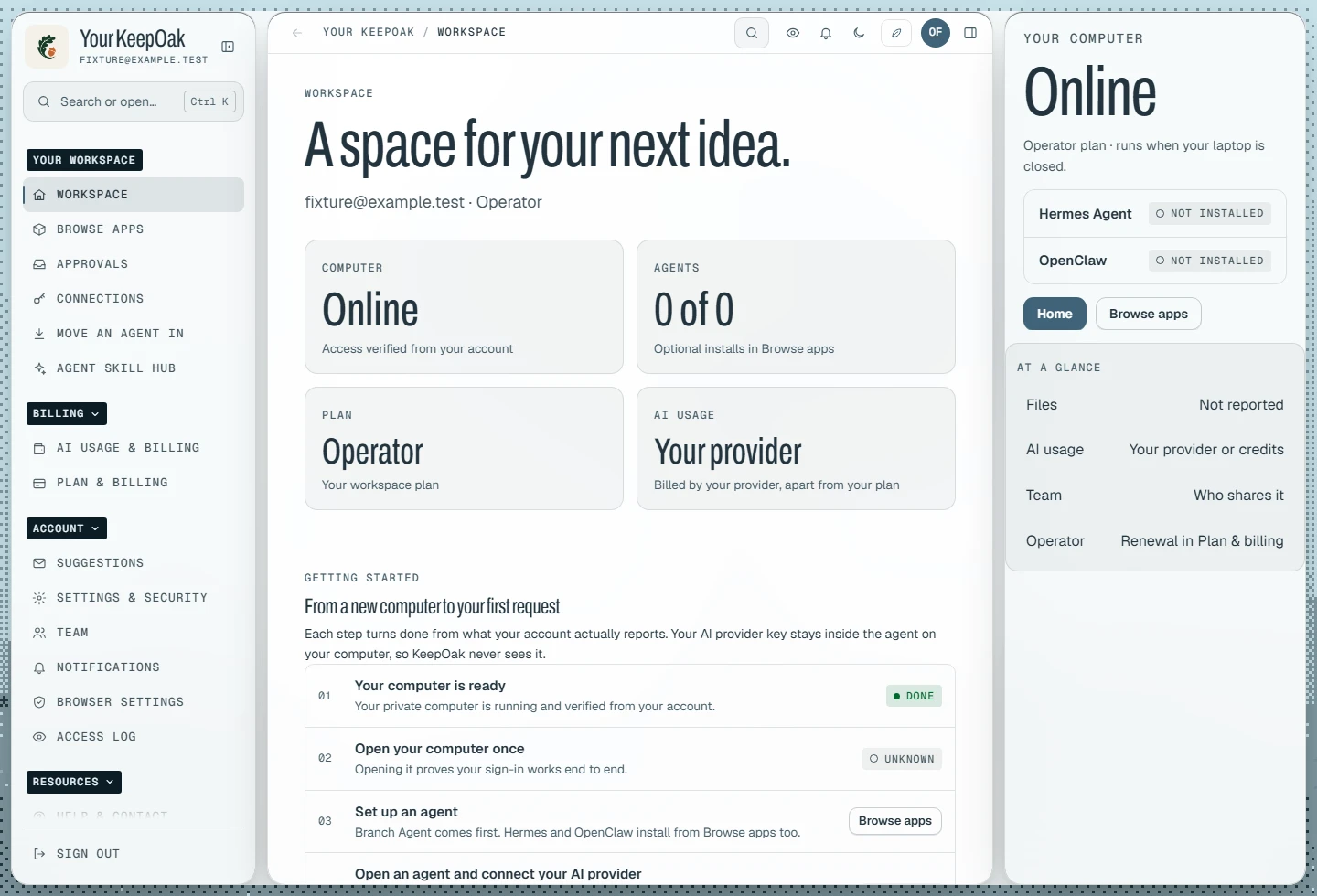
Workspace interface · sample account
KeepOak’s open-source agent, for the computer you already use. One button for your system; the others stay one tap away. Always the latest stable release.
Latest stable release
Installs on Windows, macOS or Linux. You can also run it on a KeepOak computer with one click.
One command installs Branch Agents and everything it needs.
$ curl -fsSL https://keepoak.com/install.sh | bash PowerShell
PS> irm https://keepoak.com/install.ps1 | iex KeepOak is a managed service. Some parts are yours to steer and some are ours to run. This is exactly where the line sits.
What runs on it, which agents you install, and when you open the desktop.
The cloud machine itself: setup, updates, monitoring and recovery.
What goes in, what comes out, and when you download a copy.
Private storage up to your plan’s ceiling, kept apart from removable agents.
Branch Agent, Hermes Agent, OpenClaw or any mix. Install, update, uninstall or delete them yourself.
One-click installation, version updates, and repair when something breaks.
Which provider your agents use. Pay that provider directly, or use KeepOak AI billing once it opens.
The optional AI wallet, charged at the rates shown before use. We never ask for your provider password.
Which accounts and tools connect, and which actions wait for your approval.
Administrative access for maintenance and support. Managed, not a zero-knowledge vault.
A scripted walk-through of your workspace. The agent runs the steps, then stops at anything that needs you.
The request
Update the market brief from the five sources I named. Keep every link. Stop before publishing.
Scripted demo · Fictional names · no real accounts are touched
Ready
Watch the agent work through each step, then stop where you said it should.
Scripted demo · the real flow needs a workspace plan
One click
Watch what happens after the click, including the step most people don’t expect.
Illustration of the setup your account shows after checkout · times vary
After checkout
After payment, setup runs on its own. Your account shows each step while your computer is prepared.
Your agents run on a cloud computer, not your laptop. Close the lid and the work carries on.
Drafts, sources and results live in your private Files, so the next task starts where the last one ended.
Install Branch Agent, Hermes Agent, OpenClaw, Chrome, Slack, VS Code and more without a terminal. Each keeps its own setup and saved data.
Agents hold emails, purchases and changes until you approve them. You decide where that line sits.
Every computer includes the full desktop, Files, one-click agents and apps, and managed maintenance. The memory you choose sets your plan, and Operator and Power also connect your own computers.
Focused individual work
Live price
Priced from the servers we can order right now.Specs for the starting-price computer.
8–15 GB memory
Filled from the live catalog
All three agents and the apps you use every day.
Connected operations
Live price
Priced from the servers we can order right now.Specs for the starting-price computer.
16–31 GB memory
Filled from the live catalog
Agents doing real work, with one of your own computers linked in.
Heavier parallel work
Live price
Priced from the servers we can order right now.Specs for the starting-price computer.
32 GB memory and up
Filled from the live catalog
Heavy parallel work across several machines.
Prices and stock come from the live computer list. This page fills them when JavaScript runs.
Every computer includes a graphical desktop, NVMe storage, unlimited data transfer, dedicated IP connectivity, DDoS protection, terminal and file access, and one-click agents and apps. Daily backup is available on every computer as an add-on.
Not ready for a computer yet?
A free account covers sign-in, receipts and your AI wallet once KeepOak AI billing opens. No card needed.
AI usage is never part of the plan price. See how the two bills work.
Sign-in, your account settings, and access to KeepOak AI billing once it opens. It does not include a computer, Files or agents. Those come with a workspace plan. An account doesn’t expire if you never buy a plan or later cancel one.
Your plan pays for the computer, not AI usage. Add an API key inside your agent from a supported provider such as OpenRouter, OpenAI, Anthropic or Google Gemini, with that provider’s billing or credits enabled. A ChatGPT or Claude browser subscription does not include API usage. See provider setup and separate costs. KeepOak AI credits are not open yet.
KeepOak is built and run by Taofik Bishi. When you write to support, you reach the people who run your computer. Trust & limits lists everyone who can reach your workspace.
Your workspace is separated from other customers. Authorized KeepOak operators can reach it when needed for setup, maintenance, updates, recovery, security work or support. KeepOak is a managed service, not a zero-knowledge vault.
Renewal stops and your plan keeps working until the end of the month or year you paid for. Where exports are enabled, a saved copy of your workspace stays downloadable for 30 days after access ends. Your account and AI wallet stay.
Change-of-mind cancellations and unused time are not refunded. Duplicate charges are, and so is a workspace we can’t deliver. A short setup delay is not a failed delivery. Your legal consumer rights still apply.